For owners · step by step
Group your gear into a kit
Put items together (tent & bedding, camp kitchen, a beach kit) under any name, so renters book them in one go.
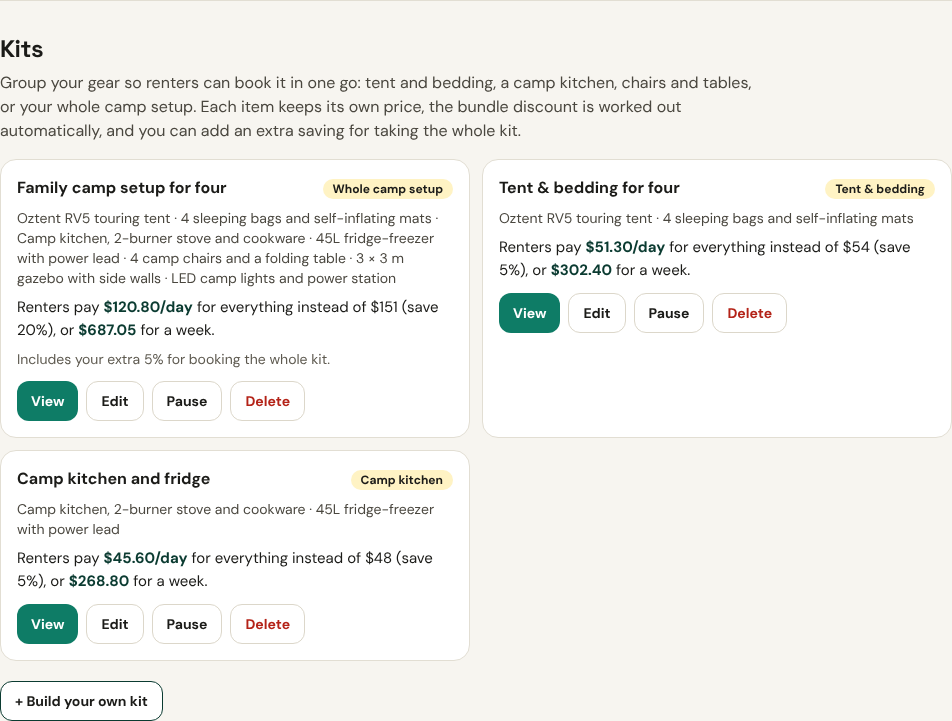
- 1Find Kits in My listingsOpen My account → My listings and scroll to Kits. When your gear fits together, we suggest kits under Suggested from your gear: tap Create this kit to use one as is, or Customise it.
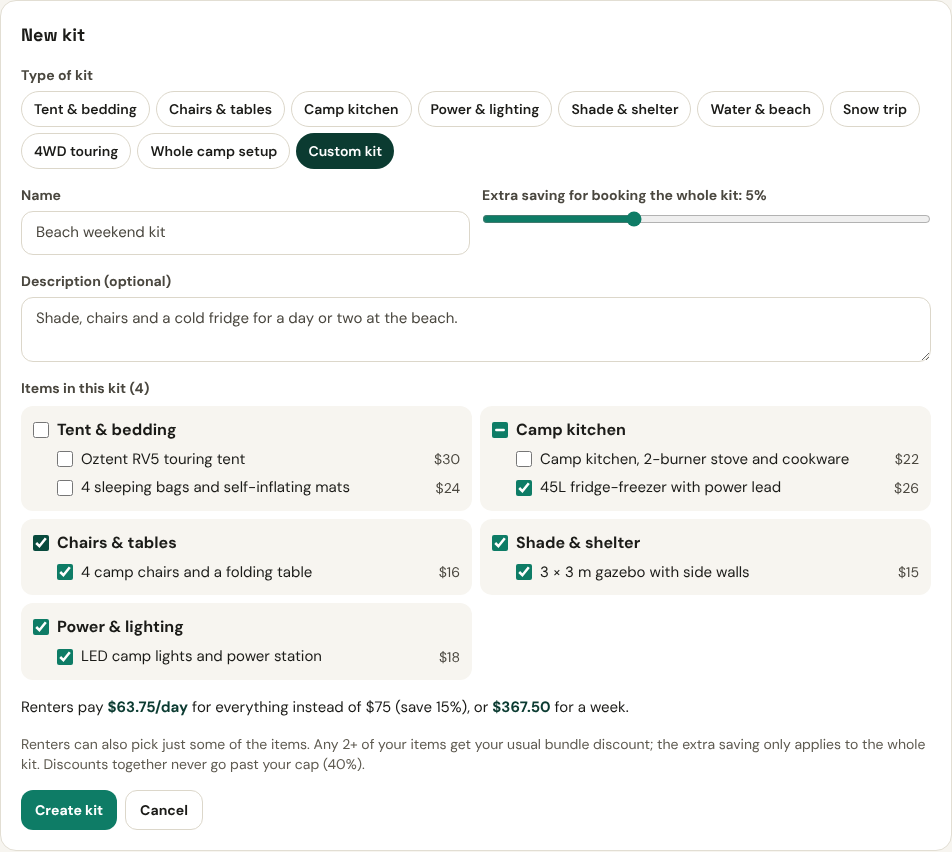
- 2Build your own kit and name itTap + Build your own kit. Pick a type (Tent & bedding, Camp kitchen, Water & beach, Snow trip…) or Custom kit, and give it any name, e.g. Beach weekend kit. Tick the items, add a short description, and slide Extra saving to reward people for taking the lot. You see exactly what renters pay before you tap Create kit.
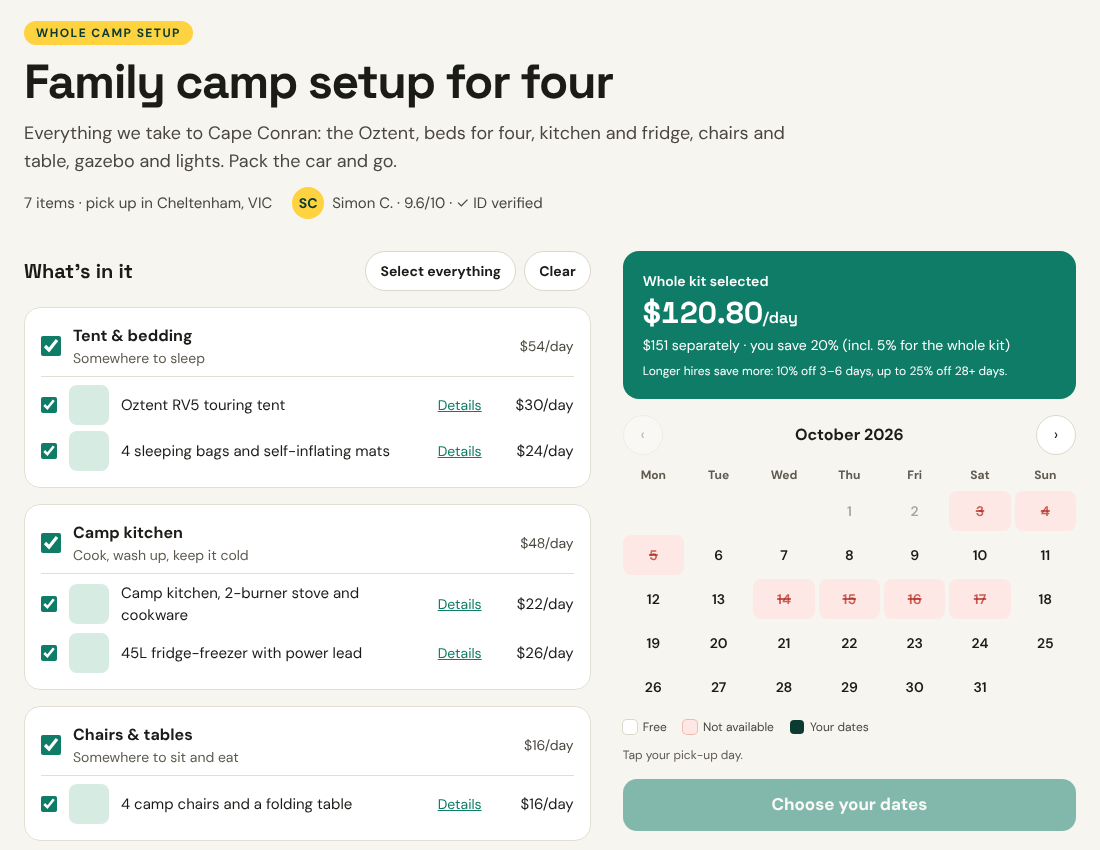
- 3What renters seeYour kit gets its own page with every item, the kit price and a calendar. Renters can book the whole kit, or untick what they already have and book the rest. Edit, pause or delete a kit any time from My listings.